News World
The security reflex
What got attacked, and the move to make the same day.
Nothing for that search in the published issues.
The security reflex
Issue 009 · deepseek v4.1 flash is back, under an mit license
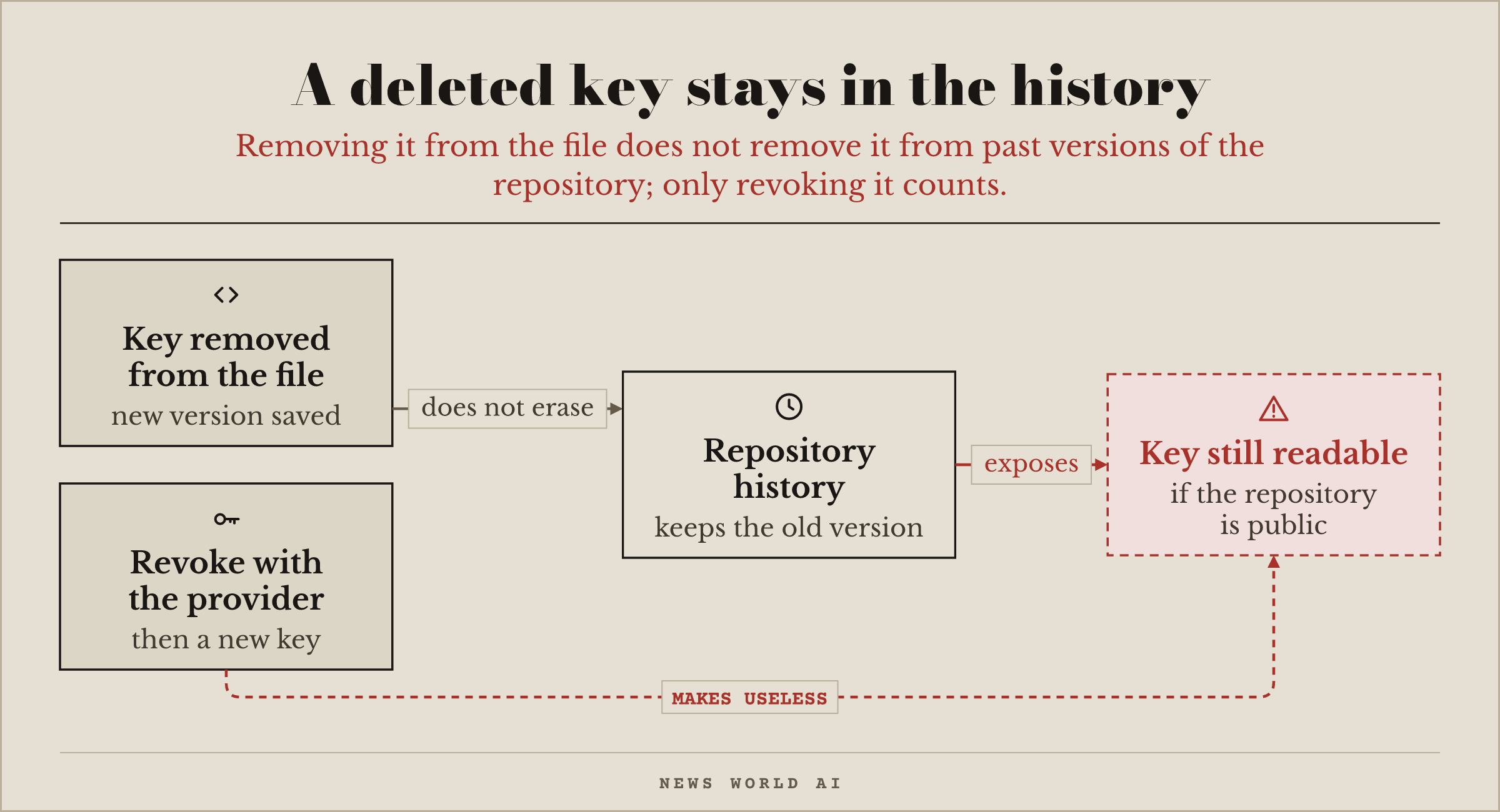
Your agent had put an API key in the code, and you removed it: problem solved? No. Every saved version of your repository can still be viewed, and if the repository is public, the key can be read there forever; a stolen key then turns up on the bill, at the end of the month.
The right move. Revoke the key with the provider and create a new one, with a spending cap (our problem in issue 007). It is the only move that counts: deleting the file is not enough.
Reply to this email and tell us what you're building. Every reply gets read.
— News World AI
Issue 008 · windows gets its box for agents
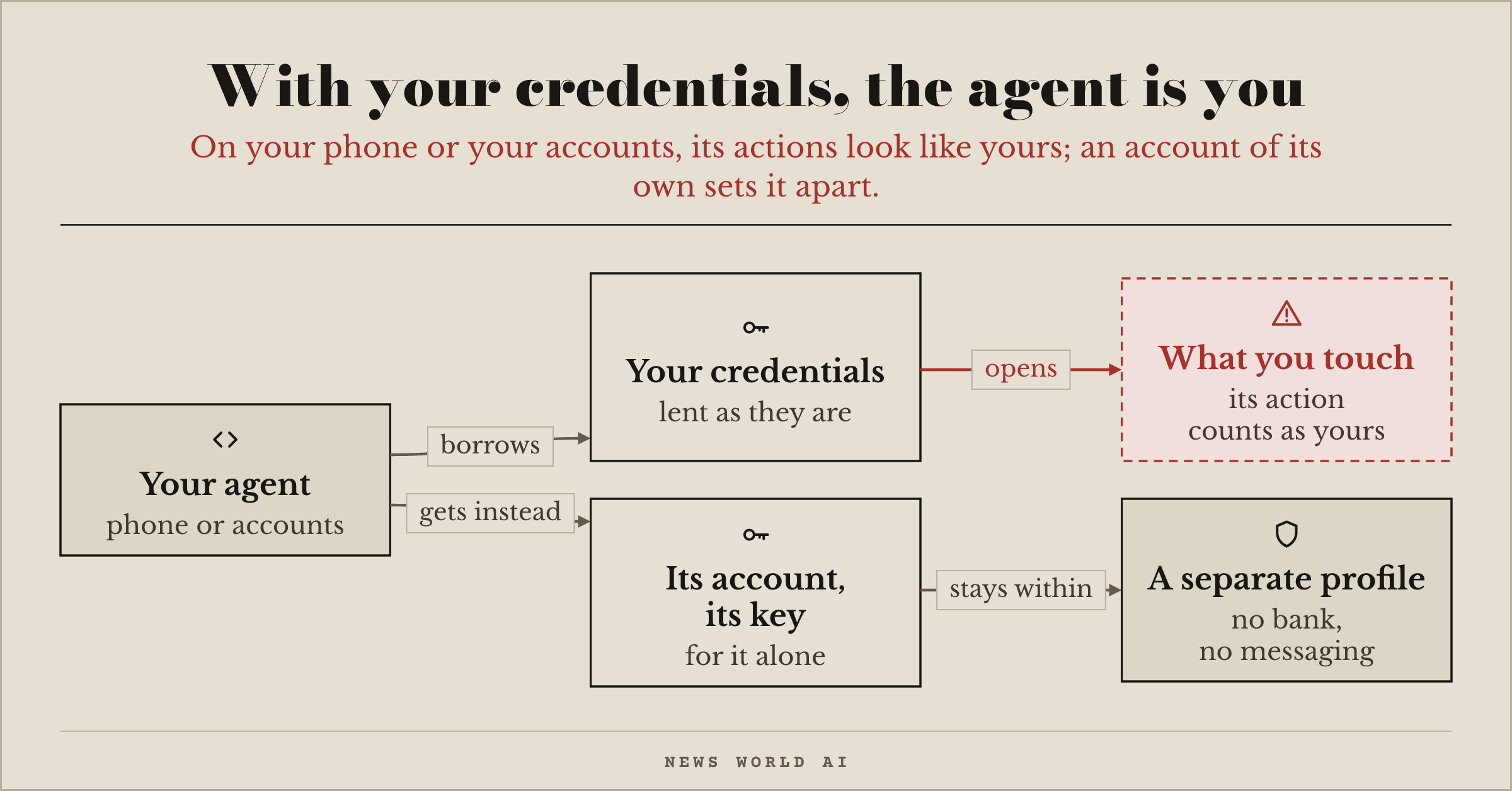
Are you about to let an agent use your phone or your accounts? This week, a $7 board is enough for an AI to tap on a real iPhone. With your phone or your credentials, the agent has your permissions: it touches what you touch, and nothing tells its actions apart from yours.
The right move. Give each agent its own account and its own key, never yours. And if it uses a phone or a browser, give it a place of its own: a test device or a dedicated browser profile, with no bank, no main inbox, no saved passwords.
Reply to this email and tell us what you're building. Every reply gets read.
— News World AI
Issue 007 · decision models you can download
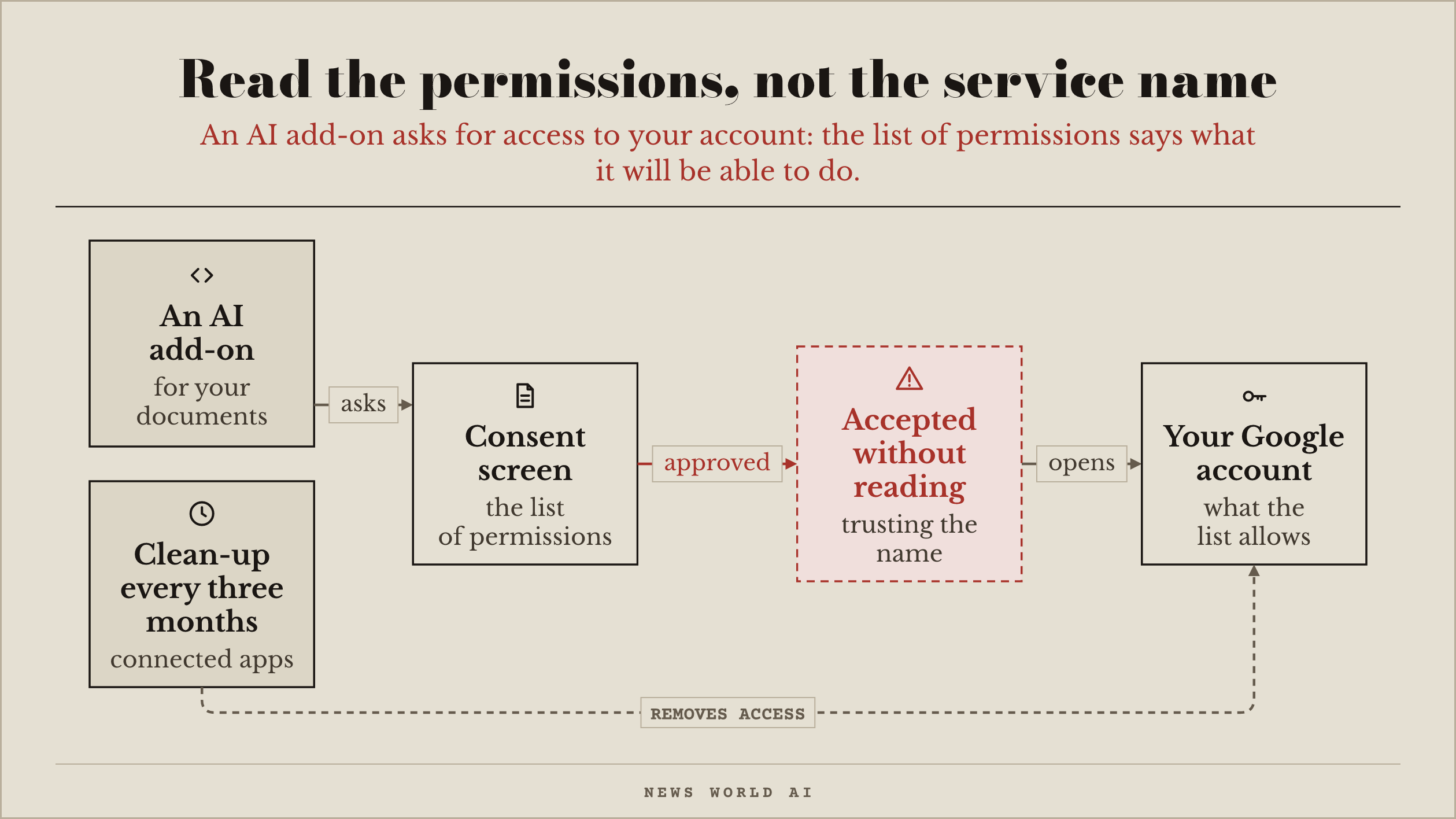
Are you about to connect an AI to your Google documents? This week, Claude arrives in Docs, Sheets and Slides through an add-on, and before installation Google shows the list of permissions it asks for. Claude's list has two: display its sidebar, and view and manage the file it is installed in. Nothing about your emails or your Drive. Other add-ons can go as far as reading and sending your emails, and people rarely read this list: they approve the name of the service.
The right move. Before installing, read the list of permissions, not the name of the service. Then open the page of apps connected to your Google, Microsoft and GitHub accounts, and remove the ones you no longer use. Do it again every three months.
Reply to this email and tell us what you're building. Every reply gets read.
— News World AI
Issue 006 · two open answers to jev's idea
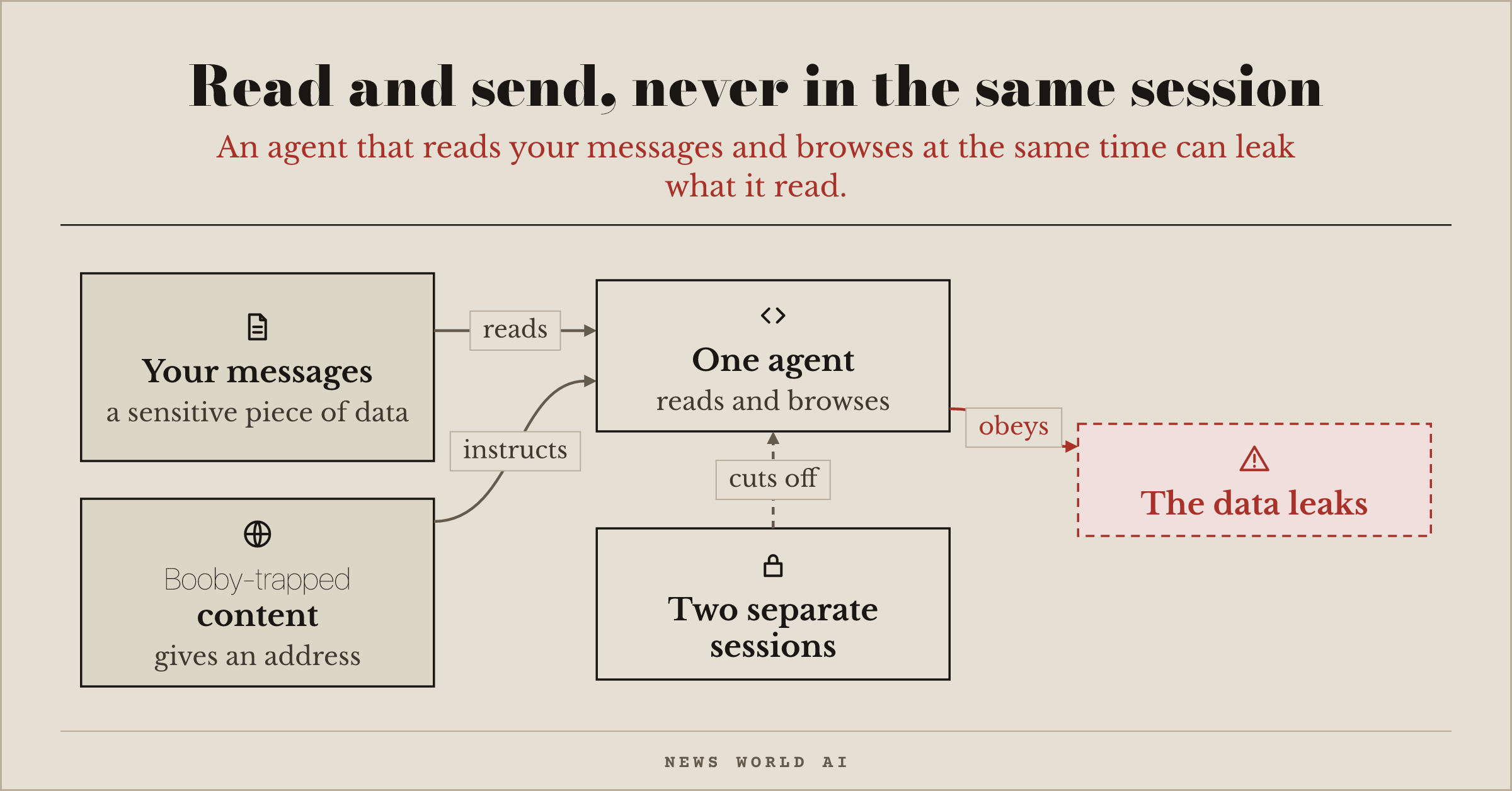
Can your agent read your messages and browse the web? Separately, those two abilities are harmless; together, they make a leak. The agent reads a sensitive piece of data in a message, then booby‑trapped content gives it an address to send it to, and it obeys.
The right move. Open your agent's settings and check whether, in the same session, it has access to your messages and the ability to write to the outside world. If it does, split them: one session that reads your private data, another that browses.
Reply to this email and tell us what you're building. Every reply gets read.
— News World AI
Issue 005 · jev ticks a box, your code decides
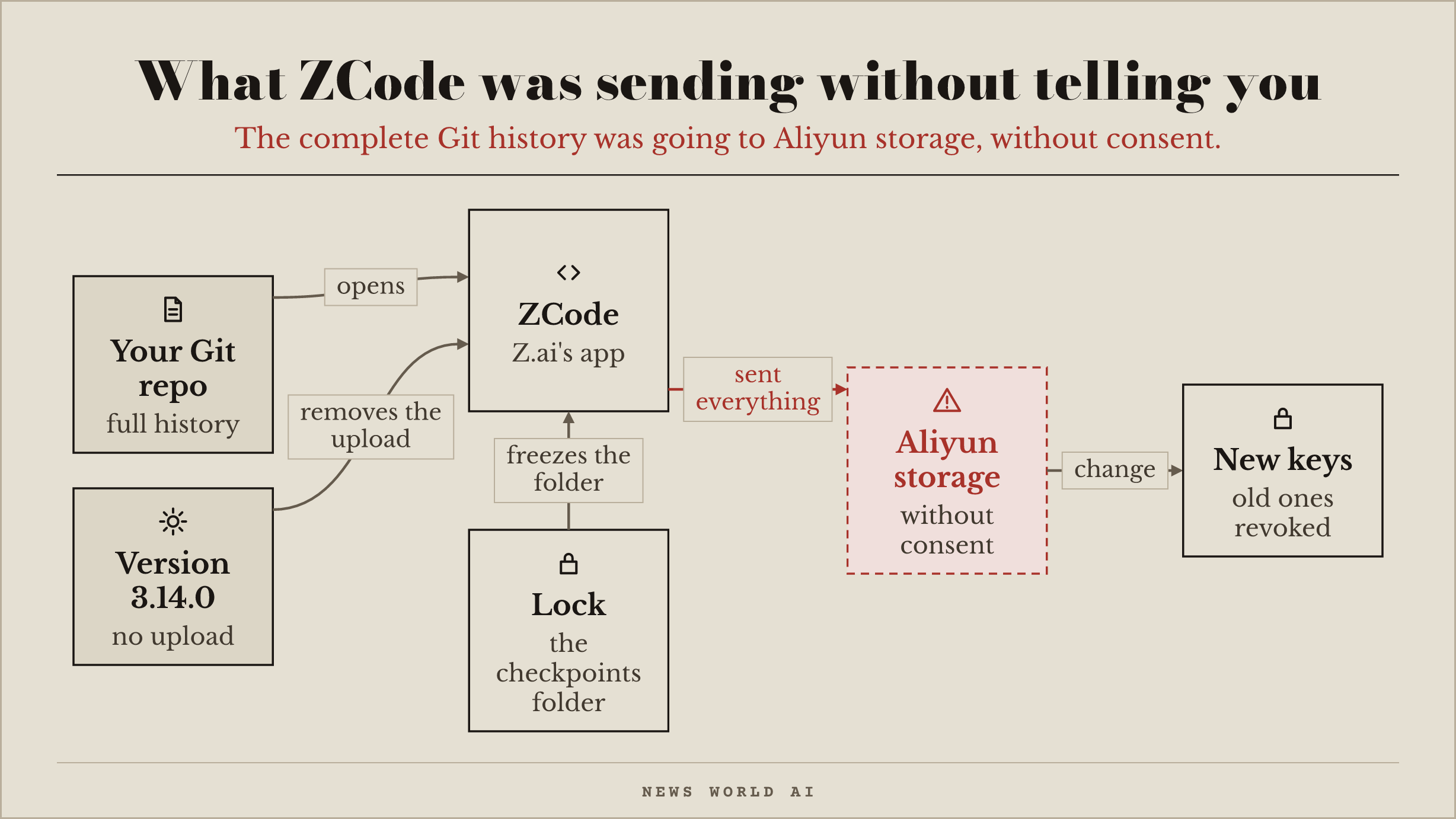
ZCode, the coding app from Z.ai, was sending the logged-in user's entire workspace to Aliyun storage, Git history included, where even long-deleted keys remain. Neither its privacy policy, nor its FAQ, nor its changelog mentions it, and its settings toggles do not stop the upload.
The right move. Update ZCode to version 3.14.0: on September 21, ZCode announced that this version removes the creation and upload of these copies. Then revoke the keys and access tokens found in the history of those repositories, and create new ones. The researcher also advises locking the copies folder, because the app can still receive remote updates: on a Mac, delete ~/.zcode/v2/checkpoints, recreate it empty, then run chflags uchg ~/.zcode/v2/checkpoints (on Linux, sudo chattr +i ~/.zcode/v2/checkpoints). According to him, only ZCode's rollback feature stops working afterwards.
Reply to this email to tell us what you are building. Every reply is read.
— News World AI
Issue 004 · knowing what the agent did
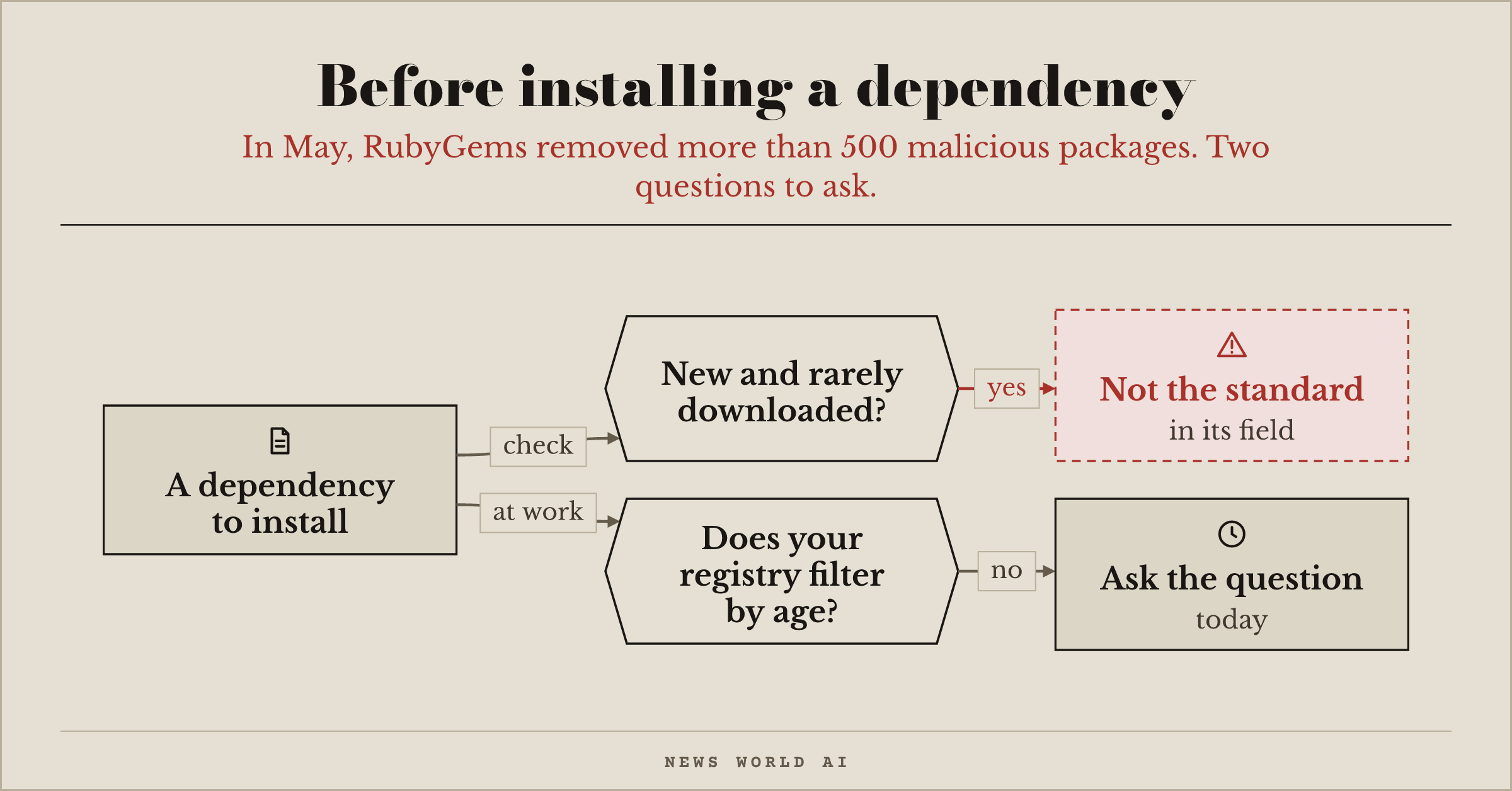
In May, RubyGems removed more than 500 malicious packages pushed to its registry in a burst, and paused sign-ups while it cleaned up. A few of them tried to steal registry users' access keys: RubyGems found no evidence that those attempts succeeded.
The right move. Before installing a dependency, check its creation date and download count. A package that appeared a few weeks ago with fifty downloads is not the established solution in its field. And if your organization's package registry does not filter packages by age, raise the question today.
Reply to this email to tell us what you're building. Every reply is read.
— News World AI
Issue 003 · what your coding agent sends home
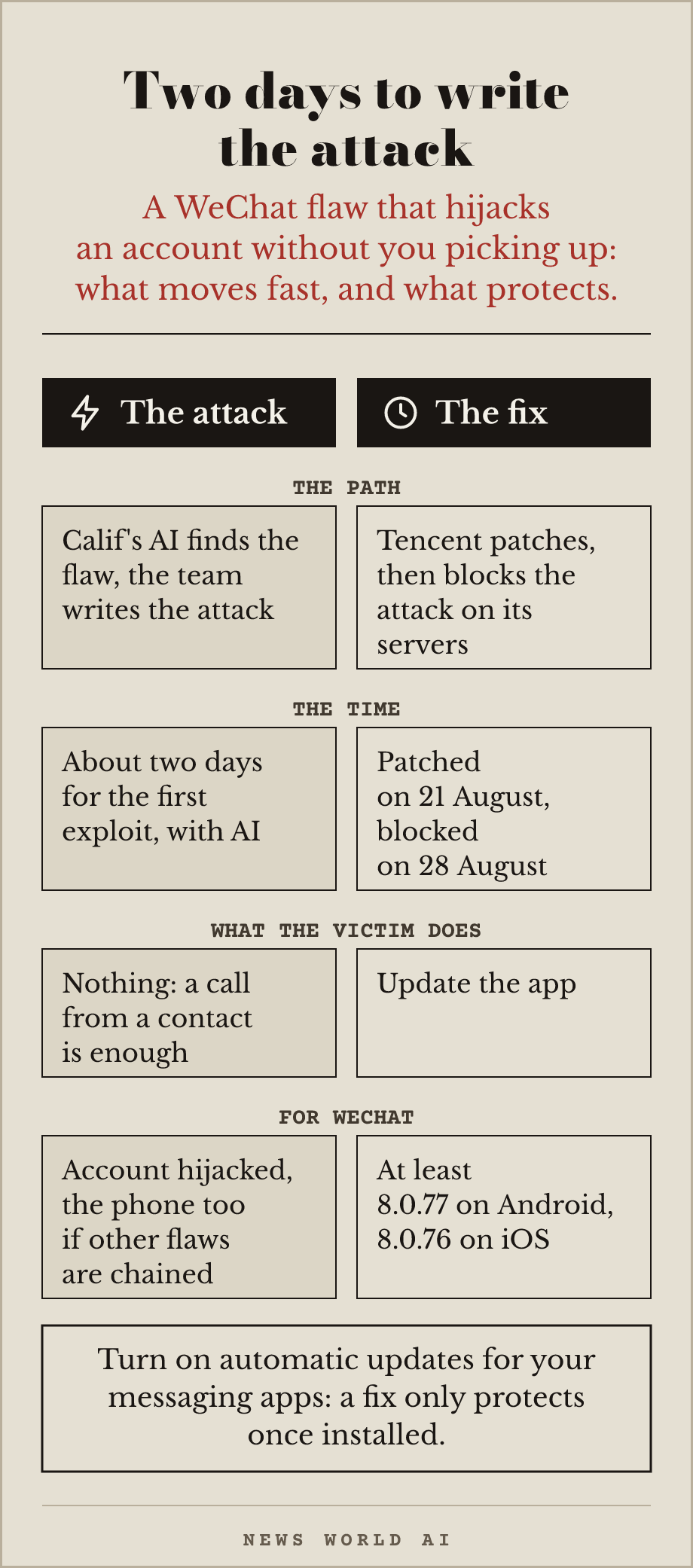
Calif published WeWorm on September 8: a demo worm built on a WeChat flaw that needs no action from the victim, on iOS and Android. A call from a contact is enough to hijack the victim's WeChat account, even if they do not pick up (declining the call stops the attempt); chained with other flaws, the attack can take over the phone. Calif's AI found the flaw in July, then the team wrote the first exploit in about two days with its help, and the worm in a week. Tencent shipped the fix on August 21.
The right move. Turn on automatic updates for all your messaging apps, today. For WeChat, check that you run at least version 8.0.77 on Android or 8.0.76 on iOS: according to Calif, Tencent has also been blocking the attack on its servers since August 28.
Reply to this email and tell us what you are building. Every reply is read.
— News World AI
Issue 002 · A newsroom with no journalists
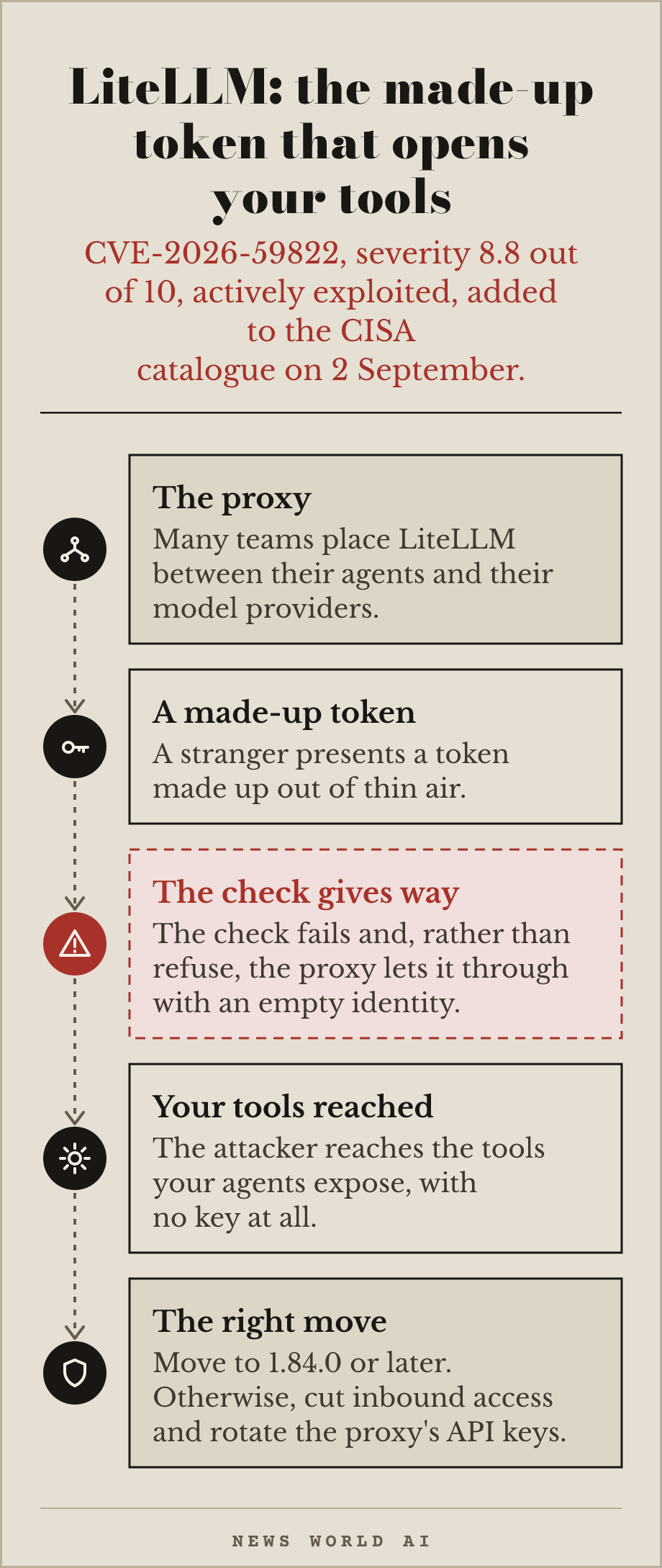
LiteLLM is a proxy that many teams place between their agents and their model providers, to route requests to the right place. An authentication flaw (CVE-2026-59822, severity 8.8 out of 10) lets a stranger present a token made up out of thin air: the check fails, and instead of refusing, the proxy lets the request through with an empty identity. The attacker then reaches the tools your agents expose, with no key at all. The flaw is actively exploited, CISA added it to its catalogue on 2 September. The technical detail, the severity and the fixing version come from the project's own security advisory: github.com/BerriAI/litellm/…
The right move. Move LiteLLM to version 1.84.0 or later today, that is the version that fixes the flaw. If you cannot update immediately, cut inbound network access to the proxy and rotate every API key registered there.
cisa.gov/news-events/alerts/2026/…
Reply to this email and tell us what you are building. Every reply is read.
— News World AI
Issue 000 · Your agent succeeds one time in three
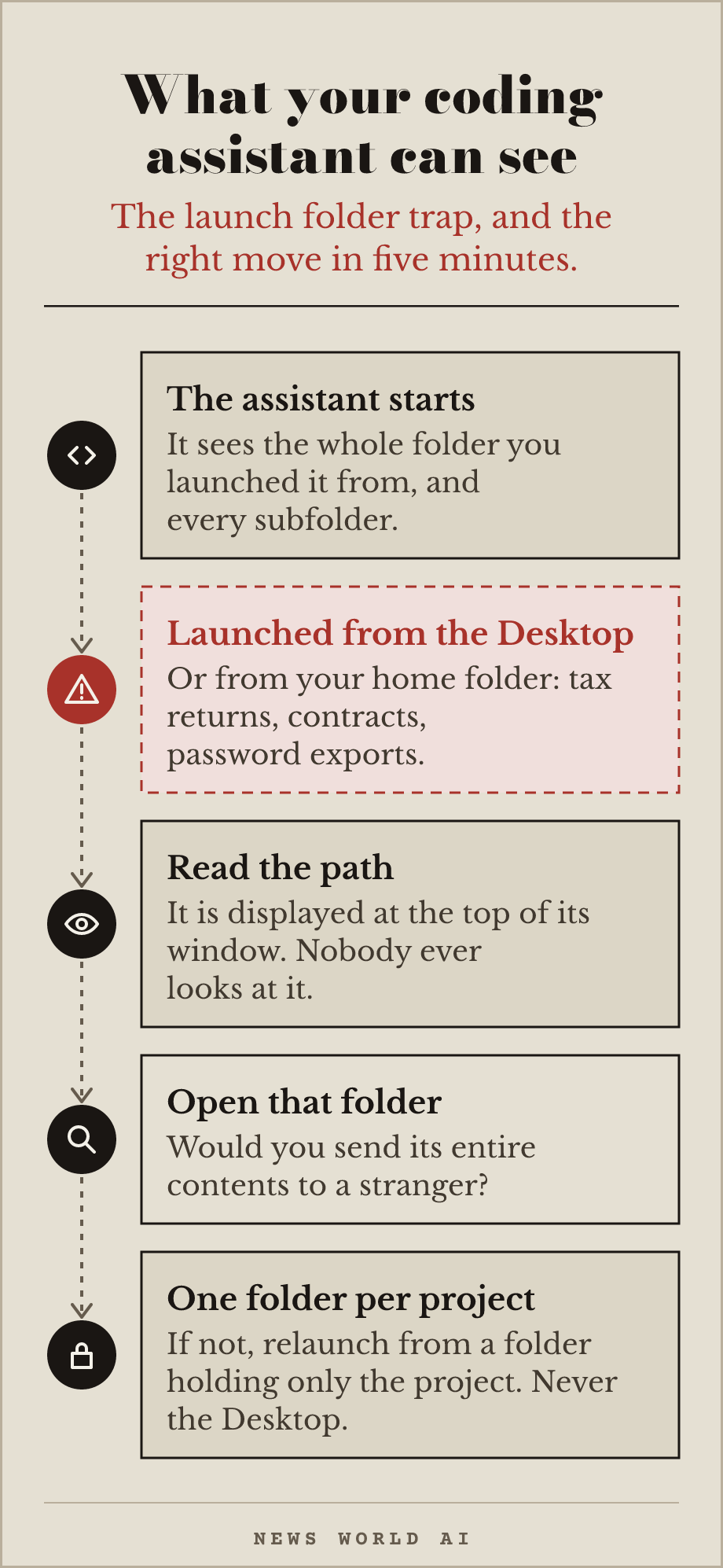
The trap. A coding assistant sees everything in the folder you launched it from,
and in every subfolder. Launched from your home folder or your Desktop, it has your tax returns, your contracts and your password exports. The path is displayed at the top of its window, and nobody ever looks at it.
The right move, five minutes. Open that folder and ask yourself one question: would I send its entire contents to a stranger? If the answer is no, close it, create a folder holding only the project at hand, and relaunch from there. One folder per project, never your account root, never the Desktop.
### Quantum insert — your data is already stolen
Why this concerns you: your agent transmits and logs data that will have to stay secret long after your project ends.
An attacker needs no quantum computer today. Recording encrypted traffic now and shelving it until the day it can be opened is enough. Today's encryption protects against today's reading, not against 2032's.
One question only: does the data my agent handles have to stay secret for more than ten years? Medical records, contracts, sources, industrial property. If yes, the subject is present tense, and resistant algorithms are already standardised. If no, sleep well on this particular point.
Quantum will never have a fixed section here. It shows up only as it does now: when it changes something about what you are building.
The archive reproduces each issue as it went out, without rewriting it. A repo's stars, prices and last-commit dates are those of the day of the check, not today's: follow the link for the current state.
Geneva, Switzerland. Write to hello@newsworldai.xyz.